
How to Play PC Games on a Mac in 2026: 4 Ways
How to play PC games on a Mac in 2026: native Mac games, compatibility layers, cloud streaming, and Apple Arcade — every option explained clearly. (2026).
Written by admin
Published October 23, 2026
Reading time 6 minutes
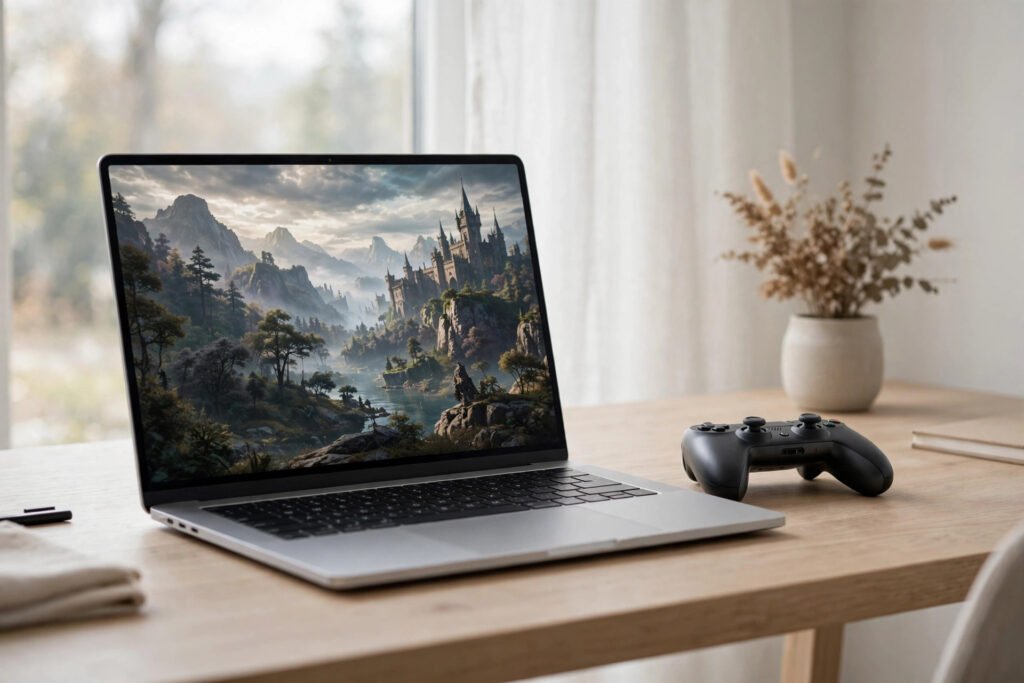
Mac owners have heard it for years: “nice computer, shame about the games.” And historically, it was true — the Mac gaming library was a sad shelf next to Windows’ warehouse. But 2026 is the best year yet to be a Mac gamer. Apple Silicon’s graphics performance has matured dramatically, a compatibility layer now runs a huge swath of Windows games, cloud streaming works beautifully on Macs, and the native Mac catalog is bigger than most people realize. Playing PC games on a Mac in 2026 isn’t a hack anymore — it’s a menu of legitimate options, each with different tradeoffs. Here’s the full menu.
Option 1: Native Mac games (the easy wins)
Start with what’s already here. Steam, the Epic Games Store, and GOG all have Mac sections, and the native catalog now includes genuine heavy hitters — strategy epics, acclaimed indies, and even some AAA titles ship with Mac versions on day one. Apple’s Game Porting Toolkit pushed developers toward Mac releases, and the results compound yearly. Check a game’s store page for the Apple logo before assuming it won’t run; you’d be surprised how often it’s there now.
Native games are the gold standard on Mac: best performance, best battery life, no compatibility weirdness. The limitation is selection — Windows still gets everything, Mac gets a strong subset. For many players, though, the subset covers their actual taste. If you mostly play strategy games, roguelikes, narrative adventures, and indies, you may never need anything else. The ESRB’s game ratings database is handy for vetting titles before you buy, whatever platform you’re on.
Option 2: The Game Porting Toolkit and compatibility layers
This is the big unlock. Apple’s Game Porting Toolkit — built on the open-source Wine and CrossOver technology — translates Windows games to run on Mac, and community tools have made it far more accessible than its developer-tool origins suggest. Apps like CrossOver and the free Whisky/Porting Kit projects wrap the toolkit in point-and-click interfaces: install the app, point it at a Windows game, and play. Compatibility varies by title — competitive shooters with kernel-level anti-cheat generally won’t work, but single-player games have an excellent hit rate.
Performance is the pleasant surprise. Apple Silicon’s unified memory architecture and efficient GPUs handle translated games better than the old Intel-Mac Boot Camp days suggested was possible. An M-series MacBook Air can run many Windows games at 1080p medium settings through these layers — not chart-topping, but genuinely playable. Check community compatibility databases before buying a specific title; five minutes of research saves the disappointment of an unplayable purchase.
Option 3: Cloud gaming (your Mac as a window)
Cloud gaming might be the best-kept secret for Mac owners. Services like GeForce NOW, Xbox Cloud Gaming, and Amazon Luna run the game on remote servers and stream the video to your Mac — which means your Mac’s specs barely matter. A base-model MacBook Air can play Cyberpunk 2077 at high settings via the cloud, because the heavy lifting happens in a data center. All you need is a solid internet connection (25+ Mbps, ideally wired or strong Wi-Fi) and a controller.
The tradeoffs are latency and library quirks. Fast-twitch competitive multiplayer suffers from the added input delay, and each service has its own catalog — GeForce NOW lets you play games you already own on Steam, while Xbox Cloud Gaming is tied to Game Pass. For single-player adventures, RPGs, and strategy games, though, cloud gaming on a Mac is close to magical. It’s also the cheapest path: GeForce NOW’s free tier exists, and paid tiers cost less per month than a single new game.
Option 4: Virtualization and the nuclear options
Running Windows in a virtual machine (Parallels Desktop is the polished choice) works for older or lighter Windows games, though 3D performance takes a hit versus native or translated play. Dual-booting Windows via Boot Camp is dead on Apple Silicon — that door closed with Intel. And the true nuclear option, an external GPU enclosure, doesn’t work on Apple Silicon either. Accept these limits rather than fighting them; the first three options cover nearly everything worth playing.
Whatever path you choose, keep the machine itself healthy — making an older computer run faster with basic maintenance (freeing storage, managing startup apps, keeping macOS updated) pays dividends in gaming smoothness. And if you’re weighing a storage upgrade for a growing game library, understanding SSD vs. HDD storage helps you spend wisely on external drives.
What about Apple Arcade and the App Store?
Don’t sleep on Apple’s own gaming offerings. Apple Arcade ($7/month) bundles 200+ games with no ads or in-app purchases, and several are genuinely excellent — particularly for casual, family, and puzzle gaming. The Mac App Store also carries exclusives and optimized ports you won’t find on Steam. These won’t satisfy someone craving the latest AAA shooter, but for a huge swath of players they’re more than enough, and the value proposition is strong.
Choosing your path: a quick decision guide
Play mostly indies, strategy, and narrative games? Native Mac versions plus Apple Arcade probably cover you completely. Want specific Windows AAA titles? Try the compatibility-layer route first (CrossOver or similar), fall back to cloud gaming for the stubborn ones. Competitive multiplayer gamer? Cloud gaming handles everything except the most latency-sensitive shooters, where honestly a console or gaming PC remains the answer. And if you’re buying a Mac partly for gaming, prioritize unified memory (16GB minimum) and don’t overspend on the top-tier chip — the mid-range Apple Silicon chips already game well, and the money is better saved for games themselves. Apple’s Mac lineup page lays out the current models and their graphics capabilities.
Conclusion
Playing PC games on a Mac in 2026 is no longer an exercise in frustration — it’s a genuinely good experience with four legitimate paths: native games, compatibility layers, cloud streaming, and Apple’s own services. The Windows library advantage hasn’t vanished, but the gap has shrunk from a canyon to a ditch, and for most genres it doesn’t matter at all. Pick the option that matches your taste, check compatibility before you buy, and enjoy the quiet satisfaction of gaming on the machine you already love. The “Macs can’t game” era is effectively over — it just took the rest of the world a while to notice.
Frequently Asked Questions
Can Macs run Steam games?
Yes — Steam has a native Mac client with a large Mac-compatible catalog. Look for the Apple logo on a game’s store page to confirm Mac support before purchasing.
What is the Game Porting Toolkit?
Apple’s compatibility technology that translates Windows games to run on Apple Silicon Macs. Community tools like CrossOver wrap it in user-friendly apps, letting many Windows-only games run with surprisingly good performance.
Is cloud gaming good on Mac?
Excellent for most genres. Services like GeForce NOW stream high-end PC games to even base-model Macs; you just need a fast, stable internet connection. Latency-sensitive competitive shooters are the main exception.
Can I install Windows on an Apple Silicon Mac for gaming?
Not natively — Boot Camp doesn’t exist on Apple Silicon, and virtualization (Parallels) works but with reduced 3D performance. Compatibility layers and cloud gaming are the better paths in 2026.