
How to Dispose of Old Electronics Responsibly in NYC
How to dispose of old electronics responsibly in NYC: e-cycleNYC pickups, drop-off sites, data-wiping steps, and what to do with batteries, cables, and old phones.
Written by admin
Published November 6, 2026
Reading time 6 minutes
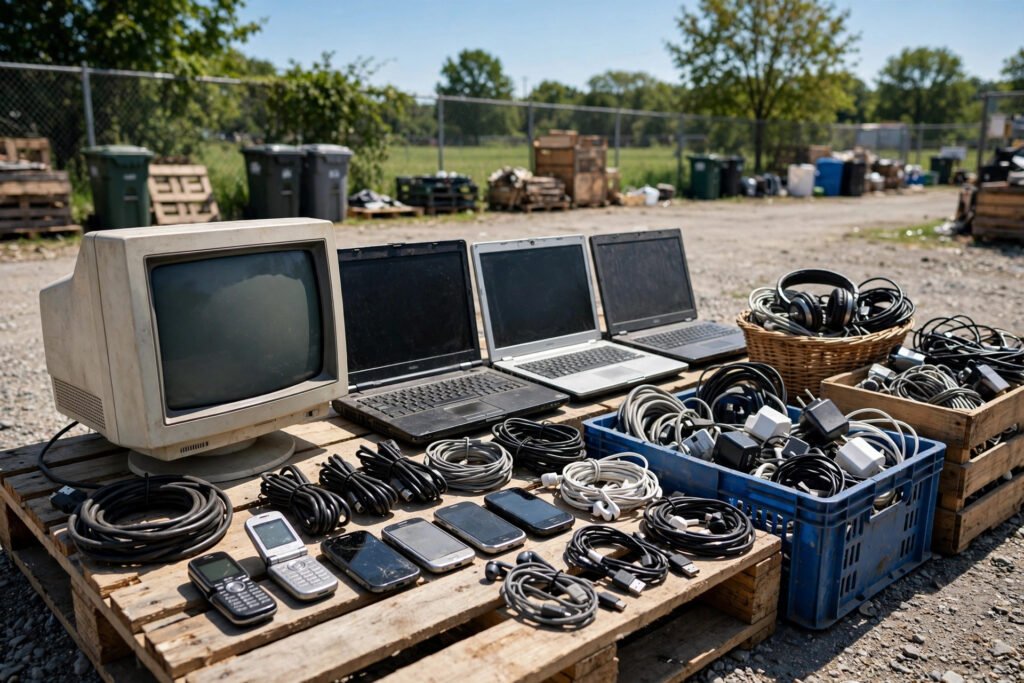
That drawer of dead phones, the CRT-era monitor in the closet, the tangle of mystery cables, the laptop that died in 2019 — New Yorkers accumulate electronics like sediment. And unlike regular trash, you cannot just throw them out: New York State law bans electronics from the trash, with fines for violations. But disposing of old electronics responsibly in NYC is easier than most people think, once you know the programs. Plus, your old devices contain data that needs proper destruction.
Here is the complete guide: what the law requires, where everything goes, and how to wipe your data first.
The Law: Why You Cannot Trash Electronics
New York’s electronic waste recycling law bans disposing of covered electronics in the trash — including computers, monitors, TVs, printers, phones, tablets, and peripherals. Haulers can refuse trash containing e-waste, and violations carry fines. The rationale is serious: electronics contain lead, mercury, cadmium, and other toxics that leach from landfills, plus valuable recoverable materials (gold, copper, rare earths) that recycling reclaims.
The EPA’s electronics recycling data shows the US generates millions of tons of e-waste yearly with recycling rates far below potential — NYC’s programs exist to close that gap. Compliance is not just legal; it is the difference between toxics in groundwater and materials back in circulation.
Step Zero: Wipe Your Data
Before any device leaves your possession, destroy the data. Deleted files are recoverable; “factory reset” on some devices leaves traces. The proper levels:
Phones/tablets: encrypt the device first (modern phones do this by default), then factory reset, then remove SIM and memory cards. For high-sensitivity data, use the manufacturer’s secure-erase or overwrite tools.
Computers: use DBAN or the manufacturer’s secure erase for HDDs; for SSDs, use the manufacturer’s secure-erase utility (standard overwriting does not reliably work on SSDs due to wear-leveling). When in doubt, remove and physically destroy the drive — a drill through the platters is definitive.
General rule: if the device held banking, health, or business data, physical drive destruction is worth the peace of mind. Many NYC e-waste events offer witnessed destruction.
Where It All Goes in NYC
e-cycleNYC: the city’s flagship program offers free e-waste pickup for residential buildings (enroll your building via nyc.gov) — electronics collected from a storage room on schedule. If your building participates, this is the easiest option: drop devices in the designated area and walk away.
DSNY special waste drop-off sites: the city operates drop-off locations accepting electronics, with periodic SAFE Disposal events across the boroughs for electronics plus household chemicals. Check current schedules on nyc.gov — events are typically weekends, seasonal.
Retailer take-back: many electronics retailers accept old devices regardless of purchase origin — phones, batteries, ink cartridges, and often computers and TVs. Manufacturer programs (Apple, Dell, HP, Samsung) offer free mail-back or trade-in, sometimes with credit for working devices.
Donation and reuse: working devices should be reused, not recycled — schools, nonprofits, and refurbishers accept functional computers and phones. Data-wipe first, then donate. Reuse beats recycling environmentally every time.
For specifics on any item, NYC 311 gives current disposal instructions — and our guide to practical ways to live more sustainably at home covers reducing e-waste at the source.
Category-by-Category Cheat Sheet
Phones/tablets: carrier/retailer trade-in (credit), manufacturer mail-back, or e-cycleNYC. Remove SIM/memory cards.
Laptops/desktops: wipe drives securely; donate if working; e-cycleNYC or manufacturer take-back if not.
TVs/monitors: the bulky problem — CRTs are heavy and contain lead. Retailer haul-away when buying new, DSNY drop-offs, or e-cycleNYC. Never abandon on the sidewalk (illegal dumping fines apply).
Printers: manufacturer take-back or e-cycleNYC. Remove ink/toner cartridges (return via retailer programs).
Batteries: NEVER in trash or recycling bins — lithium batteries cause fires in collection trucks and facilities. Rechargeable batteries go to Call2Recycle drop-offs (many retailers); single-use alkaline guidance varies — check current 311 rules.
Cables, chargers, accessories: e-waste drop-offs accept these; some scrap metal recyclers take cables for copper. The mystery-cable drawer can finally be emptied guilt-free.
Small appliances: toasters, microwaves, fans — metal recycling or e-waste events depending on composition; check 311 for the specific item.
Upgrading devices? Our guide to the best budget smartphones under $300 helps you replace responsibly — and trading in the old one at purchase closes the loop.
What NOT to Do
Do not trash it. Illegal, fined, environmentally harmful. Do not leave it on the curb outside of designated collection — that is illegal dumping. Do not “recycle” it in curbside bins — electronics jam and contaminate the recycling stream. Do not ship to developing countries via sketchy “recyclers” — verify your recycler is e-Stewards or R2 certified to ensure responsible downstream handling, not export dumping.
The Psychology of E-Waste Hoarding (and How to Beat It)
Be honest about why that drawer exists: the dead laptop “might be useful for parts,” the old phone “could be a backup,” the tangle of cables “might fit something.” This is loss aversion plus the endowment effect — we overvalue what we own and dread the finality of disposal. But the math is unforgiving: a 2019 laptop loses value and usefulness every year it sits, its battery degrades, and its data becomes a liability rather than an asset. The “backup phone” that has not been charged in two years will not save you in an emergency.
The antidote is a simple rule: if a device has sat unused for 12 months, its future value to you is near zero — dispose of it this week. For genuinely useful backups, keep exactly one spare phone (wiped, charged, updated) and recycle the rest. Photograph sentimental items if the attachment is emotional rather than practical. And reframe the act: you are not throwing things away, you are returning materials to circulation and eliminating a data-theft risk. The clean drawer is the reward — and the EPA’s waste hierarchy confirms that timely recycling beats indefinite storage every time.
Conclusion
Disposing of old electronics responsibly in NYC means: wipe data first (physically destroy drives for sensitive data), then route each category correctly — e-cycleNYC pickup, DSNY drop-offs, retailer/manufacturer take-back, or donation for working devices. Batteries never go in bins, electronics never go in trash, and certified recyclers ensure your e-waste does not become someone else’s poison. Clean out that drawer this weekend — the city makes it easy, the law requires it, and your data stays yours.
What should I do with cables and chargers I no longer need?
Do not trash them — e-waste drop-offs accept cables, chargers, and accessories, and some scrap recyclers take them for copper recovery. Coil them neatly, drop them at your next e-cycleNYC or DSNY collection, and enjoy the reclaimed drawer space.
Frequently Asked Questions
Is it illegal to throw electronics in the trash in NYC?
Yes. New York State law bans covered electronics (computers, TVs, phones, printers, etc.) from trash disposal, with fines for violations. Haulers may refuse trash containing e-waste.
What is e-cycleNYC?
The city’s free electronics recycling pickup program for residential buildings. Enrolled buildings get scheduled collection from a designated storage area — check nyc.gov to enroll your building.
How do I wipe data before recycling a phone?
Encrypt (usually default on modern phones), factory reset, remove SIM and SD cards. For computers: use manufacturer secure-erase tools (especially for SSDs) or physically destroy the drive for sensitive data.
Where can I recycle batteries in NYC?
Rechargeable and lithium batteries go to Call2Recycle drop-offs at many retailers — never in trash or recycling bins (fire hazard). Check NYC 311 for current single-use battery guidance.
Can I donate old computers instead of recycling?
Yes — and you should if they work. Schools and nonprofits accept functional devices. Wipe data first, and verify the organization actually wants your specific equipment before dropping off.