
What Is Ray Tracing and Does It Matter for Gamers in 2026?
What is ray tracing and does it matter? A plain-English guide to realistic lighting in games, which GPUs handle it, and whether it is worth paying extra for in 2026.
Written by admin
Published October 31, 2026
Reading time 6 minutes
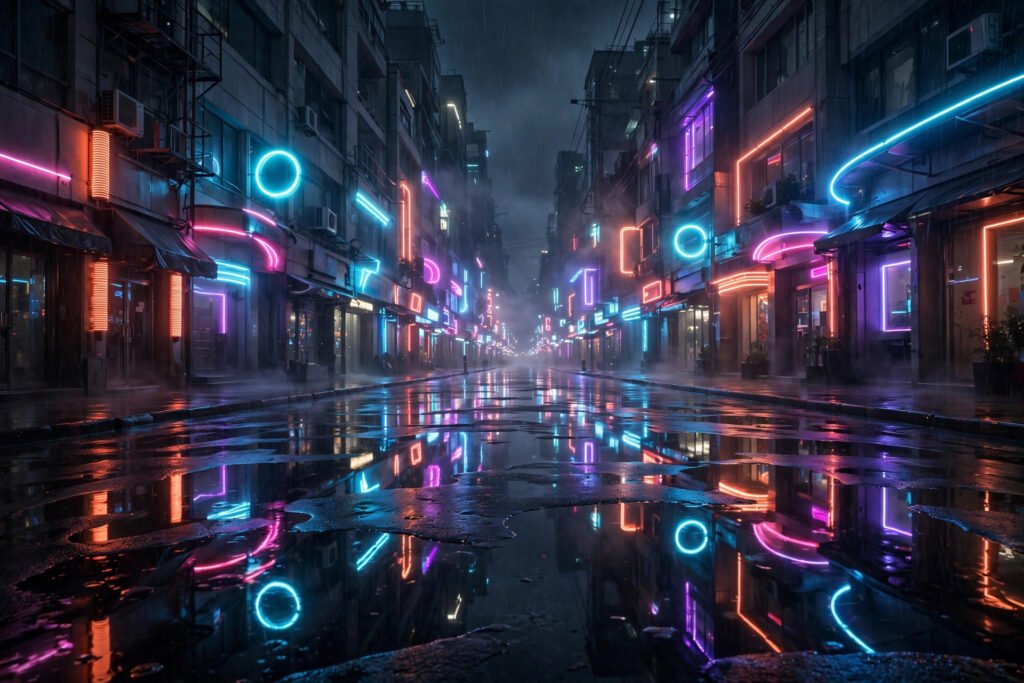
You have seen the screenshots: sunlight streaming through a cathedral window in a game, each beam scattering realistically across dust particles; a rain-slicked New York street at night with every neon sign reflected perfectly in the puddles. That is ray tracing — and in 2026, it is the most talked-about graphics technology in gaming. But what is it, actually? And more importantly for your wallet: does it matter enough to influence what you buy?
Let us strip away the marketing and explain ray tracing the way it deserves: plainly, honestly, and with real attention to whether it is worth paying for.
What Ray Tracing Actually Is
At its core, ray tracing is a way of simulating light. In the real world, light bounces around a scene — off walls, through glass, scattering in fog — before reaching your eyes. Traditional game graphics (“rasterization”) fake this with clever shortcuts: pre-baked lighting, approximate reflections, shadow maps that look convincing but are not physically accurate.
Ray tracing does it the honest way. For each pixel on screen, the computer traces the path of virtual light rays as they bounce through the 3D scene, calculating how they interact with every surface. The result is lighting, shadows, and reflections that behave like the real world — because they are computed like the real world. It is the same technique Pixar has used for movie rendering for decades; the breakthrough was making it fast enough to do 60+ times per second in a game.
What It Looks Like in Practice
Ray tracing is not one effect — it is a family of them, and games use them selectively:
Ray-traced reflections. The showstopper. Mirrors, windows, puddles, and polished floors show true reflections of the actual scene rather than approximations. In a game set in rainy New York, this is transformative.
Ray-traced shadows. Softer, more natural shadows with realistic penumbra (the soft edge of a shadow) instead of the hard or blurry approximations of old techniques.
Ray-traced global illumination. Light bouncing between surfaces — sunlight hitting a red wall and tinting the floor pink, or torchlight realistically filling a cave. This is the subtlest effect and arguably the most important for realism.
Ray-traced ambient occlusion. More accurate contact shadows where objects meet, grounding everything in the scene.
In the best implementations — Cyberpunk 2077’s “RT Overdrive” mode is the famous showcase — the difference is genuinely jaw-dropping. In weaker implementations, you will squint to spot the change.
The Performance Cost: Why It Is Controversial
Here is the honest part: ray tracing is enormously expensive computationally. Turning it on can cut your frame rate by 30–60% depending on the game and GPU. That is why the technology arrived hand-in-hand with upscaling technologies like NVIDIA’s DLSS and AMD’s FSR, which render the game at lower resolution and use AI to reconstruct a sharp image — clawing back the lost performance.
This creates a real trade-off that every gamer should understand: ray tracing at 60 fps with upscaling versus rasterized graphics at 120+ fps without it. For competitive or fast-paced games, most players choose the frames. For slow, cinematic single-player experiences, the ray-traced beauty often wins. Neither choice is wrong — they serve different priorities.
NVIDIA’s own documentation is candid about this balance, and Forbes’ hardware coverage has tracked how each GPU generation narrows the performance gap. By 2026, mid-range cards handle ray tracing far better than the first generation did — but it remains a premium feature in terms of GPU cost.
Does It Matter for Casual Gamers?
For most casual gamers, ray tracing sits firmly in “nice to have” territory rather than “must have.” Consider:
It matters most if you play cinematic single-player games (story adventures, RPGs, horror), you already own a capable GPU, you game on a good display where the visual difference is visible, and you value atmosphere and immersion over maximum frame rates.
It matters least if you play competitive shooters or fast-paced multiplayer (frames win), your GPU is entry-level or a few generations old, you game on a small or low-resolution screen, or you mostly play stylized/indie games that do not use the technology at all.
There is also a middle ground many casual players miss: hybrid implementations. Most games do not go full path-tracing; they use ray tracing for one or two effects (usually reflections or shadows) while faking the rest. These lighter implementations cost far less performance and still deliver a visible upgrade — the best of both worlds.
What to Look for When Buying in 2026
If ray tracing interests you, here is what actually matters in a purchase decision:
GPU ray-tracing performance, not just the logo. Every modern GPU “supports” ray tracing, but performance varies enormously. Look at benchmarks for the specific games you play, not marketing slides. Second- and third-generation ray-tracing hardware (RTX 40/50 series, RDNA 3/4) is dramatically more capable than first-generation cards.
Upscaling support. DLSS, FSR, and XeSS are effectively mandatory companions to ray tracing. A GPU with strong upscaling support will deliver a better ray-traced experience than a theoretically faster card without it.
Your display. Ray tracing’s benefits are most visible on larger, higher-resolution displays. On a 24-inch 1080p monitor across the room, the difference shrinks. If you are weighing upgrades, pair your GPU decision with the best budget noise-canceling headphones under $100 — ray-traced visuals deserve immersive audio to match.
The games you actually play. Check whether your favorite titles even support ray tracing — many beloved games do not, and never will. Paying a premium for a feature your library cannot use is the classic enthusiast trap.
Ray Tracing Beyond Graphics Cards
One underappreciated trend: ray tracing is spreading beyond flagship GPUs. The PlayStation 5 and Xbox Series consoles support it (in limited form), modern smartphones use it for camera effects, and even integrated graphics are beginning to handle light implementations. For casual gamers, this means you may experience ray-traced visuals without ever buying a high-end card — through a console or a mid-range laptop.
Cloud gaming is another path: services that stream games from powerful servers can deliver ray-traced visuals to modest devices, provided your connection is solid. As always, a strong home network matters more than people expect for modern gaming in all its forms.
Conclusion
Ray tracing is real, impressive technology — not a gimmick. It produces the most realistic lighting ever seen in real-time graphics, and in the right game on the right hardware, it is breathtaking. But for casual gamers, it remains a luxury rather than a necessity: wonderful when your hardware already supports it, not worth stretching your budget or sacrificing frame rates to chase. The smartest approach is to buy the GPU that runs your favorite games well, treat ray tracing as a bonus, and let upscaling technologies bridge the gap. In a few more GPU generations, it will simply be the default — but in 2026, frames still come first for most players.
Frequently Asked Questions
Is ray tracing the same as RTX?
No. Ray tracing is the technique; RTX is NVIDIA’s brand name for its ray-tracing-capable hardware and features. AMD and Intel cards also do ray tracing under different branding.
Does ray tracing work on consoles?
Yes, in limited form. The PS5 and Xbox Series X/S support ray-traced reflections and shadows in many games, usually at 30 fps or with reduced resolution. It is less capable than PC implementations but still noticeable.
Why does ray tracing lower my fps so much?
Simulating light paths per pixel is enormously computationally expensive compared to rasterization shortcuts. Upscaling technologies (DLSS, FSR) recover much of the lost performance by rendering at lower internal resolution.
Can I use ray tracing on a GTX or older card?
Technically some older cards can run basic ray tracing through software, but performance is generally too poor to be playable. Practical ray tracing needs dedicated RT hardware found in RTX 20-series and newer, or AMD RDNA 2 and newer.
Will all games eventually use ray tracing?
Likely yes, over time. As hardware gets faster, the performance cost shrinks, and developers increasingly build lighting around ray tracing from the start. But stylized and competitive games will always prioritize frame rate.