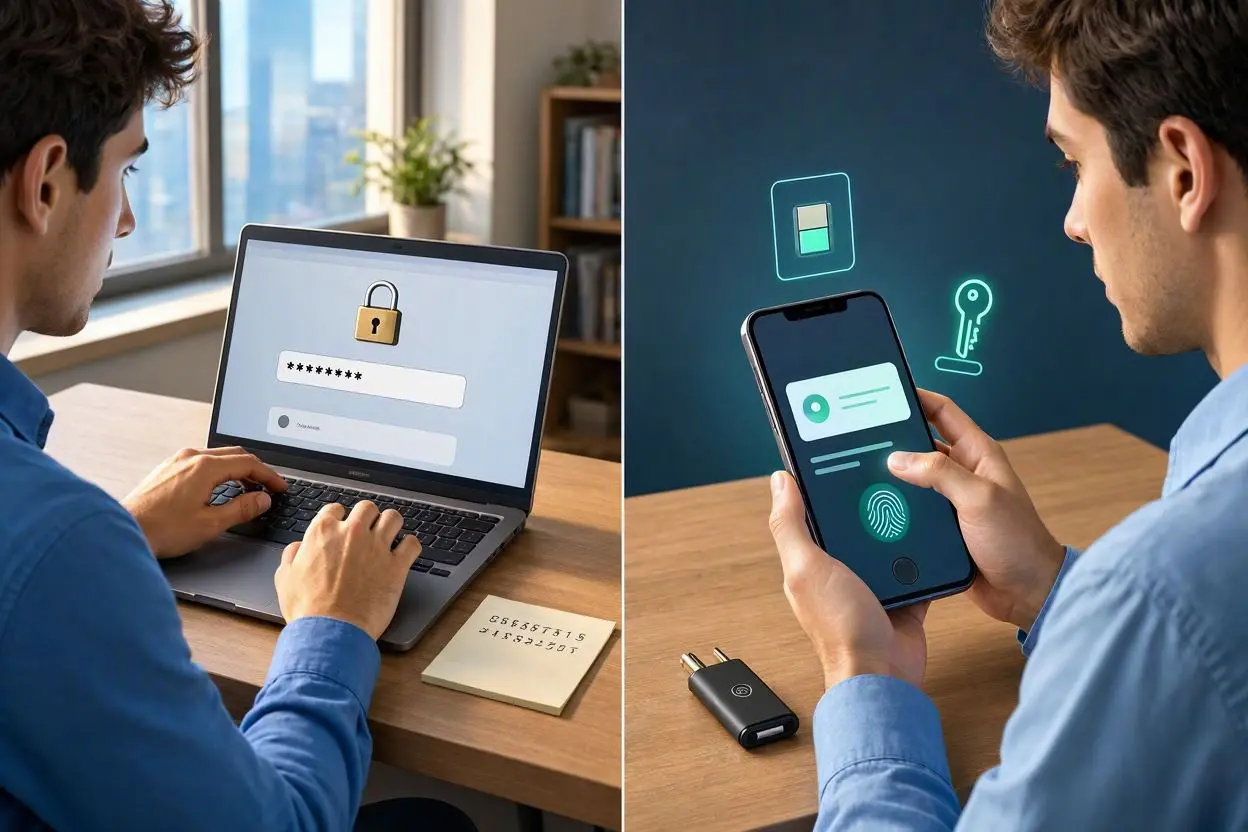
For years, passwords have been the normal way to sign in to websites, apps, and online accounts. We all know the routine: create a password, remember it, change it when required, and hope nobody manages to steal it.
But there is now another option that is becoming increasingly common: passkey login.
You may have already seen an option such as “Sign in with a passkey” on a website or app. Instead of typing a password, you can often unlock your account with your fingerprint, face recognition, PIN, or the screen lock on your device.
So, what exactly is a passkey? How does passkey authentication work? And most importantly, are passkeys safer than passwords?
Let’s break it down in simple terms.
What Is a Passkey?
A passkey is a passwordless login method that allows you to access an account using a cryptographic key stored securely on your device.
Rather than asking you to remember a combination of letters, numbers, and symbols, a passkey uses your device’s security system to confirm that you are the person trying to log in.
Depending on your device, this might involve:
- Fingerprint recognition
- Face recognition
- A device PIN
- A screen lock
- Another supported biometric method
The important thing is that your fingerprint or face is not normally sent to the website as your login password. Your device uses it to unlock the credentials stored on the device.
This makes passkeys quite different from traditional passwords.
How Does Passkey Login Work?
The technology behind passkeys can sound complicated, but the basic idea is fairly straightforward.
When you create a passkey for an account, your device generates a pair of cryptographic keys.
One key is kept securely on your device, while the other is registered with the website or service.
When you later try to sign in, the website sends a challenge to your device. Your device uses the private key to respond to that challenge after you verify yourself using your fingerprint, face, PIN, or device lock.
The website can then check the response using the public key it has stored.
The private key itself isn’t simply handed over to the website.
This is one of the major reasons passkey authentication is considered a strong alternative to passwords.
Passkeys vs Passwords: What’s the Difference?
The biggest difference is that passwords depend on something you know, while passkeys generally depend on something protected by a device you have, combined with a local verification method.
With a password, you might type:
Username + Password → Website
With a passkey, the process is more like:
Choose account → Verify on device → Sign in
There is no password that you need to type or remember.
Passwords Have Several Common Problems
Passwords can be difficult to manage, especially when you have dozens of online accounts.
People often make mistakes such as:
- Reusing the same password across multiple websites
- Choosing passwords that are easy to remember
- Writing passwords in insecure places
- Clicking links on phishing emails
- Accidentally sharing login information
- Using old passwords for years
Even a strong password can become a problem if it is exposed through a data breach or phishing attack.
Passkeys are designed to reduce many of these risks.
Are Passkeys Safer Than Passwords?
In many situations, yes, passkeys can be safer than traditional passwords.
One of their biggest advantages is resistance to phishing.
A traditional password can be tricked out of you. For example, someone could send you a fake login page that looks almost identical to the real website. If you enter your password there, the attacker may receive it.
Passkeys work differently because they are tied to the website or service for which they were created. A fake website generally cannot simply ask your device to provide the same credential as the legitimate site.
Passkeys also don’t require users to create, remember, or type passwords.
However, no security system is completely risk-free. Device security still matters. If someone gains access to your unlocked device or account recovery methods, there can still be security concerns.
So it is better to think of passkeys as a stronger modern authentication method, rather than a magical solution that eliminates every security risk.
Why Are Passkeys More Resistant to Phishing?
Phishing is one of the biggest weaknesses of password-based login.
Imagine receiving an email that says your account needs verification. You click the link and arrive at a fake website that looks genuine.
With a password, you might type your login details without realizing that the page is fake.
A passkey uses cryptographic authentication instead. The credential is associated with the legitimate website or app, which makes the traditional “steal the password through a fake login page” trick much harder to use.
This is a major benefit of phishing-resistant authentication.
Do Passkeys Store Your Fingerprint?
No. This is one of the most common misunderstandings about passkeys.
When you use your fingerprint to approve a passkey login, the website generally does not receive your fingerprint.
Instead, your device’s biometric system confirms that you are authorized to use the credential.
The biometric information stays within the device’s security environment rather than being sent to the website as your password.
The same basic idea applies when you use face recognition.
Are Passkeys Easy to Use?
For most people, one of the biggest benefits of passkeys is convenience.
Instead of trying to remember whether your password contains a capital letter, a special character, or a number, you can simply verify your identity on your device.
For example, you might:
- Open a website.
- Select the passkey login option.
- Confirm your identity with Face ID, a fingerprint, or your device PIN.
- Get access to your account.
The exact process depends on the website, device, and operating system.
Once you get used to it, passkey login can feel much faster than traditional password authentication.
What Happens If You Lose Your Phone?
This is an important question before switching to passkeys.
Modern passkey systems can support synchronization between devices through password managers or platform ecosystems. This can make it possible to access your passkeys on a new device after securely recovering your account or credentials.
However, the exact recovery process depends on the platform and service.
For important accounts, you should always understand the available account recovery options before relying entirely on passkeys.
Keeping your devices protected with a strong screen lock is also important.
Can Passkeys Be Used on Different Devices?
Yes. Passkeys are designed to work across modern devices and platforms, although the experience can vary.
For example, a passkey created on one device may be available through a supported password manager or cloud-based credential system on another device.
Some services can also allow you to use a phone or another device to approve a login on a computer.
The goal is to make passwordless authentication practical across phones, tablets, and computers.
Are Passkeys the Same as Password Managers?
No, but the two can work together.
A password manager traditionally stores and manages passwords for you. Many password managers now also support passkeys.
This means you can use a password manager to securely store and synchronize your passkeys across supported devices.
Instead of remembering dozens of passwords, you can rely on the security features of your device and password manager.
Can Hackers Steal Passkeys?
Cybersecurity is never completely risk-free, so it would be inaccurate to say that passkeys can never be attacked.
However, passkeys are designed to make several common attacks much more difficult.
A traditional password may be exposed through phishing, password reuse, credential stuffing, or a compromised database.
With passkeys, the private cryptographic credential is designed not to be directly shared with the website during normal authentication.
Attackers may still target devices, account recovery processes, cloud accounts, or users themselves. That’s why basic security practices remain important.
What Are the Advantages of Passkeys?
Passkeys offer several useful benefits.
1. No Password to Remember
You don’t need to memorize another complicated password.
2. Better Protection Against Phishing
Passkeys are designed to be resistant to many traditional phishing techniques.
3. Faster Login
A fingerprint, face scan, or device PIN can be quicker than typing a long password.
4. No Password Reuse
Since there isn’t a traditional password to reuse, one of the most common password-related security problems is reduced.
5. Strong Cryptographic Security
Passkeys rely on public-key cryptography rather than simply storing a secret password for you to submit.
6. Better User Experience
For many users, signing in becomes a simple device verification step rather than a password-management task.
What Are the Disadvantages of Passkeys?
Passkeys aren’t perfect for every situation.
Some websites and older systems may not support them yet. You may also find the experience confusing if you use multiple devices and aren’t familiar with how passkeys are synchronized.
Another consideration is account recovery. If you lose access to your devices or the system storing your credentials, you need a reliable way to recover your account.
There can also be a learning curve for people who are accustomed to traditional passwords.
Still, as support improves, many of these issues are becoming easier to manage.
Should You Switch From Passwords to Passkeys?
If a website or app you regularly use supports passkeys, switching can be a good idea.
They can provide a combination of strong security and convenience that traditional passwords often struggle to offer.
You don’t necessarily have to replace every password immediately. A practical approach is to start with your most important accounts, such as your primary email, financial services, cloud storage, and other accounts containing sensitive information.
Make sure your devices have secure screen locks and that you understand the account recovery options.
Passkeys and the Future of Online Security
The internet has relied on passwords for decades, but passwords were never a perfect solution.
They are easy to forget, frequently reused, and often targeted by criminals through phishing and other attacks.
Passkeys offer a different approach. Instead of asking users to create and remember secrets, they use cryptographic credentials protected by the user’s device.
As more websites, apps, browsers, and devices support passkeys, passwordless authentication is likely to become more familiar to everyday users.
That doesn’t mean passwords will disappear overnight. But passkeys are an important step toward making online accounts both easier and safer to access.
Final Thoughts
So, what is passkey login and is it safer than passwords?
A passkey is a modern authentication method that allows you to sign in without typing a traditional password. It uses cryptographic credentials protected by your device and can be unlocked using a fingerprint, face recognition, PIN, or another supported method.
For many common attacks, especially phishing and password reuse, passkeys can offer significant security advantages over traditional passwords.
If your favorite websites already support passkeys, there is little reason not to consider trying them. Just remember that good device security and reliable account recovery are still essential.
As passwordless technology continues to develop, passkeys could become a normal part of how we sign in to almost everything online.
Frequently Asked Questions
What is a passkey in simple words?
A passkey is a secure, passwordless way to log in to an online account using a device. You may confirm your identity with a fingerprint, face recognition, PIN, or screen lock.
Are passkeys safer than passwords?
Passkeys can be safer than traditional passwords because they are designed to resist phishing and don’t require users to type or reuse passwords.
Can someone steal my passkey?
Passkeys are designed so that the private credential isn’t simply sent to websites during login. However, protecting your device and account recovery methods is still important.
Do passkeys use fingerprints?
A fingerprint can be used to unlock or approve a passkey on a compatible device. The website does not normally receive your actual fingerprint.
Can I use passkeys on my phone and computer?
Yes. Depending on the platform, browser, and password manager, passkeys can be synchronized or used across multiple devices.
What if I lose my phone with my passkeys?
Recovery depends on how your passkeys are stored and synchronized. Supported password managers and platform ecosystems may provide ways to access credentials from another device.
Do passkeys completely replace passwords?
Not yet. Many websites still use passwords, and some services may offer both passwords and passkeys. Adoption is continuing to grow.
Should I start using passkeys?
If your important accounts support passkeys, using them can be a good way to improve both login convenience and security.