
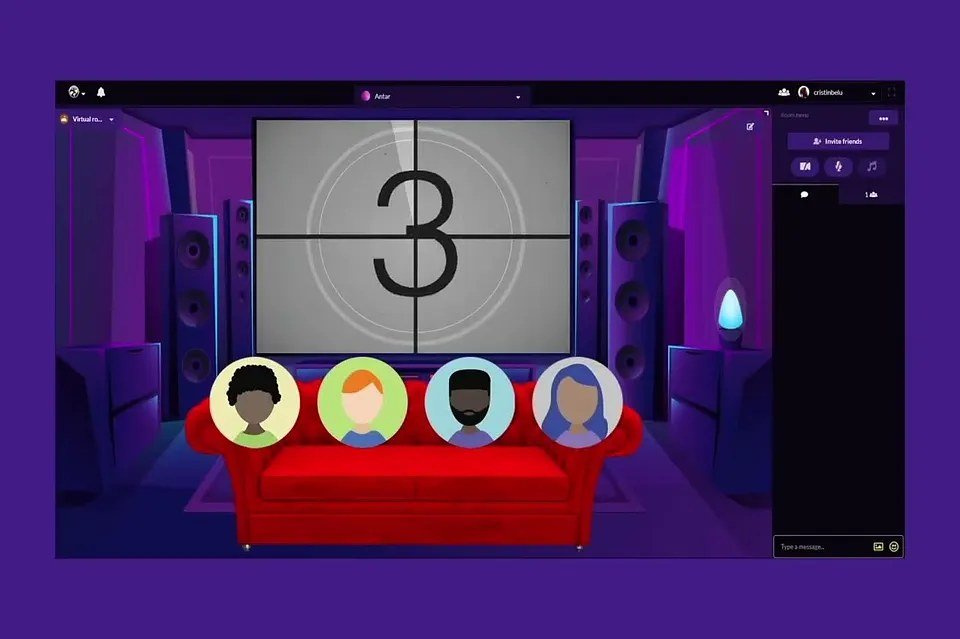
Your best friends live in three different time zones. Movie night together seems impossible — until you realize the technology solved this years ago. Hosting a virtual watch party with friends is easy, free, and genuinely fun: synchronized playback, live chat, reactions in real time. Here’s how to do it right, from the tech setup to the little touches that make it feel like you’re actually together.
How to Host a Virtual Watch Party With Friends: The Tech Options
Option 1: Teleparty (formerly Netflix Party) — the simplest
How it works: everyone installs the free Chrome/Edge extension, the host starts the video and shares the link, everyone’s playback syncs automatically with a sidebar chat. Supports: Netflix, Disney+, Hulu, Max, and others. Catch: everyone needs their own subscription to the service, and it only works on desktop browsers (no phones/tablets/TVs). Best for: groups who all have the same streaming service and watch on laptops.
Option 2: Disney+ GroupWatch / Prime Video Watch Party — built-in
Some services have native watch-party features: Disney+ GroupWatch (up to 7 people, syncs playback, emoji reactions) and Prime Video Watch Party (up to 100 people, chat included). Advantage: no extension needed, works on more devices. Catch: everyone needs that specific subscription. Best for: Disney+ or Prime households.
Option 3: Video call + manual sync — the universal fallback
How it works: everyone joins a Zoom/Discord/FaceTime call, someone counts down “3-2-1-play,” and everyone presses play simultaneously. Advantage: works with anything — any service, any device, even physical media. You get faces and voices, not just text chat. Catch: sync drifts (pausing requires re-syncing), and you need to manage audio (mute the call during the movie, unmute for reactions — or keep a separate text chat). Best for: mixed subscriptions, TV watchers, groups who want to see each other.
Option 4: Discord streaming — the gamer-friendly option
One person streams their screen to a Discord voice channel; everyone watches together with voice chat. Advantage: only the host needs the subscription, voice chat is seamless, works for anything on the host’s screen. Catch: stream quality varies, and sharing copyrighted streams exists in a legal gray area (it’s fine for private friend groups; don’t broadcast publicly). Best for: groups already on Discord.
Choosing What’s Right for Your Group
- Everyone has Netflix, all on laptops? Teleparty. Done.
- Disney+ family? GroupWatch.
- Mixed services / TV watchers? Video call + manual sync.
- Want faces, not just chat? Video call + manual sync (or Teleparty + separate video call).
- Discord natives? Discord streaming.
Making It Feel Like a Real Party (Not Just Synced Streaming)
The tech is the easy part; the vibe is what makes it memorable:
- Pick the movie together beforehand. Vote during the week (a quick poll in the group chat). Never spend the first 30 minutes deciding — it kills momentum. My movie picks and show discovery guide help.
- Sync the snacks. Everyone makes (or orders) the same themed snack — popcorn, obviously, but themed treats for themed movies. Eating the same thing creates surprising togetherness.
- Pre-show hangout. Join the call 15–20 minutes early to catch up. The social time around the movie matters as much as the movie.
- Live reactions. Unmute for big moments (the gasps, the laughter) — shared reactions are the whole point. Establish the norm: mute during dialogue, unmute for reactions.
- Intermission. For long movies, pause halfway for bathroom + snack refills + quick chat. It prevents the drift that kills virtual events.
- Post-movie debrief. Stay on 15 minutes after to discuss — the conversation afterward is where the bonding happens.
What to Watch
Some formats work better virtually: comedies (shared laughter translates perfectly), horror (shared screams are bonding), bad movies (the commentary is the entertainment — Mystery Science Theater energy), reality TV (built for live reactions), award shows and live events (everyone’s watching anyway — make it social). Avoid slow, subtle dramas that need total focus — the virtual format has more distractions, so pick accordingly.
Troubleshooting
- Sync drift: pause, count down, resume together. Takes 10 seconds.
- Someone’s lagging: they may need to lower stream quality or close other apps.
- Audio echo: everyone on the call should wear headphones — speakers + mic = feedback loop.
- Someone can’t join the sync: they watch 10 minutes behind and avoid the chat spoilers (or just join the post-movie discussion).
- Time zones: use a poll (When2meet, Doodle) to find the overlap. Someone always compromises — rotate who gets the bad slot.
Beyond Movies: The Virtual Hangout Universe
Once the tech works, expand: virtual game nights (my game night guide has the virtual playbook — Jackbox is perfect), virtual trivia (question sets here), cook-alongs (everyone makes the same recipe on video — chaotic and wonderful), virtual book clubs (setup guide). The watch party is the gateway; the virtual social life is the destination.
The Practical Takeaway
Virtual watch party = pick the right tech for your group (Teleparty, GroupWatch, video call + sync, or Discord) + choose the movie beforehand + sync snacks + pre-show hangout + live reactions + intermission + post-movie debrief. Headphones for everyone, downloads ready, time zones polled.
Send the group chat a poll tonight: “Virtual movie Friday?” Pick the film by Wednesday. You’ll be laughing together by the weekend — miles apart, totally together.
Watch Party Etiquette (The Unwritten Rules)
Virtual hanging has its own social contract. Show up on time — “fashionably late” doesn’t work when everyone’s waiting to press play. Cameras on (unless your internet can’t handle it) — faces make it social; black boxes make it a webinar. Mute when you’re not reacting — background noise (typing, dishes, TV in the next room) ruins it for everyone. Don’t spoil if you’ve seen it — no “oh, this part’s crazy” before the crazy part. Stay off your phone — the temptation is worse at home; that’s what the phone basket rule is for, even virtual. Commit to the whole thing — dipping out halfway kills the vibe for everyone else. These sound obvious, but stating them once (lightly, with humor) prevents 90% of virtual hangout friction. The goal is presence — same as in-person, just mediated by pixels.
The easiest dedicated tool remains Teleparty (formerly Netflix Party) — free, synchronized, and now supporting most major streaming services.


