
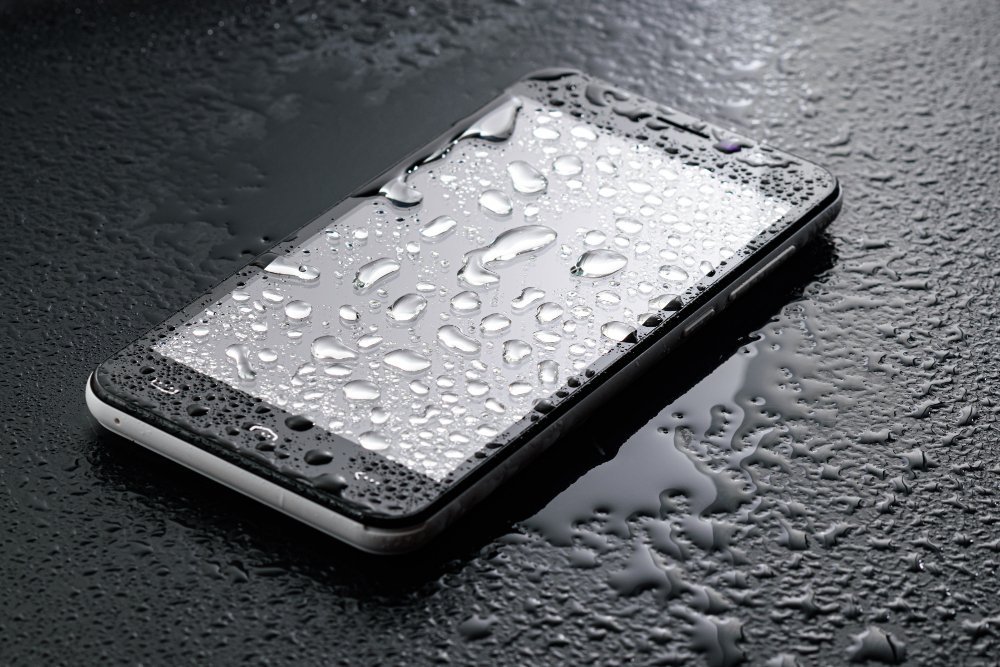
It happens in slow motion: the phone slips, hits the water, and your stomach drops. What should I do if my phone falls in water? The next ten minutes matter more than you think.
So, what should I do if my phone falls in water? Between my own experience and what I've gathered from folks who do this every day, here's the full picture.
The Honest Answer
Power it off immediately and don't turn it back on. Remove the case, SIM tray, and anything detachable, then dry the exterior and place the phone upright in front of a fan for 24–48 hours. Skip the rice — it doesn't work and starch dust gets inside the phone. Silica gel packets or a dehumidifier work far better. Saltwater and soapy water are much worse than fresh water, so rinse gently with clean water if needed.
That's the short version. Now let's get into the parts that actually affect your wallet and your day.
Worth a read next: How much does it cost to replace a phone screen at a repair shop.
For the official word, check Apple's official guidance on liquid damage, which lays out the details straight from the source.
What Should I Do if My Phone Falls in Water? Step by Step
- Turn it off instantly — electricity plus water is what fries circuits, not the water alone.
- What surprised me: Don't charge it, don't press buttons repeatedly, and don't use a hair dryer on hot — heat damages seals and screens.
- Stand it upright with the charging port facing down so water drains out instead of deeper in.
- A fan blowing room-temperature air for 24–48 hours beats rice every time — studies and repair techs agree.
- Here's the thing — Even 'water-resistant' phones (IP67/IP68) can fail: resistance wears down over time and isn't covered by warranty.
Here’s How It Plays Out
A friend dropped her iPhone in a pool last summer. She powered it off, propped it in front of a fan for two days, and it booted up fine — speakers crackly for a day, then normal. Her brother, meanwhile, put his in rice and kept trying to turn it on. His never recovered.
The Truth About Water Resistance Ratings
Let’s talk about the DIY-versus-pro question, because it comes up constantly. The internet makes everything look easy — a ten-minute video, a $20 kit, and you’re supposedly set. Sometimes that’s genuinely true. But the videos never show you the three hours of troubleshooting, the stripped screw, or the part that arrives broken. My rule of thumb: if a failed DIY attempt would cost you more than the pro would have charged in the first place, just hire the pro. Your time has value, and so does your sanity.
That said, there’s real satisfaction in fixing something yourself, and plenty of tech tasks are genuinely beginner-friendly once you know which ones. The trick is matching the job to your actual skill level, not the skill level of the YouTuber who does it for a living. Start small, read the comments (that’s where the real warnings live), and have a plan B before you open anything up.
Timing matters more than most people realize. Tech prices follow rhythms — new models drop in predictable seasons, and the previous generation gets discounted right after. If you can wait six to eight weeks, you can often get last season’s flagship for the price of this season’s mid-range option, which is almost always the better deal. Refurbished and open-box items follow a similar pattern, flooding the market right after big launches.
The other timing trap is buying right before you actually need something. Gadgets sitting in a drawer lose value and warranty coverage simultaneously. Buy when you’re ready to use it, not when the deal looks shiny. And if a salesperson is pushing hard, that’s information too — it usually means the margin is good for them, not the value for you. Sleep on any tech purchase over a couple hundred bucks. You’ll thank yourself.
Related reading: How do I connect my phone to my TV wirelessly.
Tips From People Who’ve Done This
- Don't skip this: act fast — every minute powered on increases the chance of a short circuit.
- This one's easy to overlook: remove the SIM tray to let air circulate inside the phone.
- Don't skip this: if it was saltwater, a quick rinse with fresh water prevents corrosive salt crystals.
- If you remember one tip from this list, make it this: back up your data the moment it's working again — corrosion can kill it weeks later.
Mistakes Worth Avoiding
- A lot of folks burying it in rice and assuming that's a real fix. — and honestly, it's an easy trap to fall into.
- A lot of folks turning it on 'just to check' before it's fully dry. — and honestly, it's an easy trap to fall into.
- Here's one I see constantly: using a hot hair dryer or putting it in the oven — yes, people actually do this. Don't let it happen to you.
Before You Go: Quick FAQs
Is the cheapest option ever the right call?
Sometimes, but rarely for things you depend on daily. The cheapest option usually cuts something — quality, support, longevity, or all three. The sweet spot is almost always the mid-range: proven, reasonably priced, with real support behind it. Buy cheap twice and you've spent more than buying right once.
Can I do this myself, or should I get help?
It depends on your comfort level and what's at stake. Low-risk tasks with good tutorials are great DIY candidates. But if messing up would cost you the device, your data, or your warranty, that's the moment to call in someone experienced. There's no shame in it — pros exist for a reason, and their mistakes are their problem, not yours.
What's the biggest mistake beginners make?
Rushing. People either buy the first option they see or dive into a fix without reading the instructions twice. Slow down, compare at least three options, and read the fine print — especially around warranties, return windows, and what's actually included. Ten extra minutes of patience routinely saves hundreds of dollars.
The Bottom Line
Power off, dry it out with airflow for two days, and be patient. Most fresh-water dunks are survivable if you don't panic and don't power it on early.
Look, nobody wants to overthink this stuff. But twenty minutes of reading now beats an expensive mistake later.
For more on this, see our guide to What is the best way to back up photos from my phone automatically.
One more useful resource: Samsung's water damage support page — worth bookmarking before you make any final decisions.


