
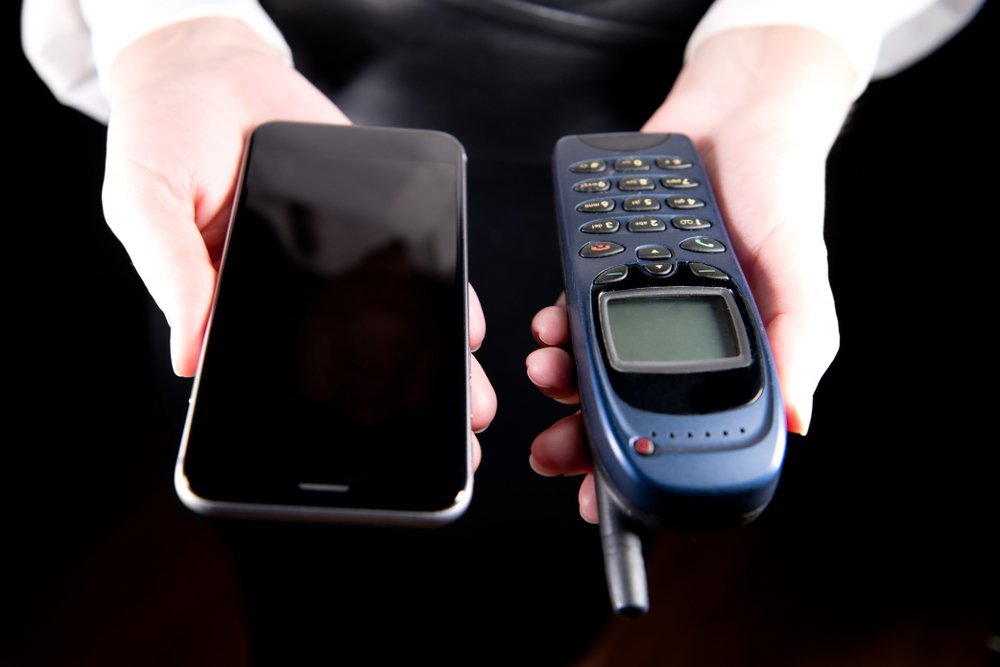
Every fall, the shiny new phones arrive and the upgrade itch starts. But how often should I upgrade my smartphone, really? The phone companies and your wallet disagree on this one.
So, how often should I upgrade my smartphone? I went down the rabbit hole on this one so you don't have to. Here's everything worth knowing, minus the fluff.
What You Actually Need to Know
For most people, every 3–4 years is the sweet spot. Modern phones get 4–7 years of software updates, batteries are replaceable or serviceable, and year-over-year improvements have gotten incremental. Upgrade when your phone no longer gets security updates, the battery won't hold a charge, or it can't run apps you need — not when a new color drops.
Simple enough on the surface. But once you look closer, there are a few things that can trip you up if you're not careful.
For more on this, see our guide to What is the best budget smartphone under 300 dollars.
For the official word, check the FTC's advice on buying mobile phones, which lays out the details straight from the source.
How Often Should I Upgrade My Smartphone? Signs It's Actually Time
- No more security updates is the real deadline — an unpatched phone is genuinely unsafe for banking and email.
- Real talk: Battery degradation is normal: after 2–3 years most batteries hold 80% or less of original capacity.
- What surprised me: If your phone can't run apps you need for work or school, that's a legitimate reason — FOMO over camera tweaks isn't.
- Carrier 'free upgrade' deals usually lock you into 24–36 month payment plans — do the math before celebrating.
- Here's the thing — Selling or trading in your old phone while it still has value (year 2–3) offsets the new purchase nicely.
A Concrete Example
I used my last phone for four years and three months. The final straw wasn't slowness — it was the bank app dropping support. Total cost per year of ownership: about $200. My friend who upgrades yearly? Closer to $900.
Making Your Current Phone Last Longer
Timing matters more than most people realize. Tech prices follow rhythms — new models drop in predictable seasons, and the previous generation gets discounted right after. If you can wait six to eight weeks, you can often get last season’s flagship for the price of this season’s mid-range option, which is almost always the better deal. Refurbished and open-box items follow a similar pattern, flooding the market right after big launches.
The other timing trap is buying right before you actually need something. Gadgets sitting in a drawer lose value and warranty coverage simultaneously. Buy when you’re ready to use it, not when the deal looks shiny. And if a salesperson is pushing hard, that’s information too — it usually means the margin is good for them, not the value for you. Sleep on any tech purchase over a couple hundred bucks. You’ll thank yourself.
Let’s talk about the DIY-versus-pro question, because it comes up constantly. The internet makes everything look easy — a ten-minute video, a $20 kit, and you’re supposedly set. Sometimes that’s genuinely true. But the videos never show you the three hours of troubleshooting, the stripped screw, or the part that arrives broken. My rule of thumb: if a failed DIY attempt would cost you more than the pro would have charged in the first place, just hire the pro. Your time has value, and so does your sanity.
That said, there’s real satisfaction in fixing something yourself, and plenty of tech tasks are genuinely beginner-friendly once you know which ones. The trick is matching the job to your actual skill level, not the skill level of the YouTuber who does it for a living. Start small, read the comments (that’s where the real warnings live), and have a plan B before you open anything up.
You might also want to check out How much does it cost to replace a phone screen at a repair shop.
Advice That Saves You Headaches
- Veterans of this stuff all say the same thing: replace the battery ($50–$90 at most shops) instead of the whole phone when battery life fades.
- Veterans of this stuff all say the same thing: a factory reset every couple of years clears out cruft and can make an old phone feel snappy again.
- Do this before anything else: stop updating to major OS versions once your phone is 4+ years old — they can slow aging hardware.
- It's not glamorous, but it works: use a case and screen protector; physical condition is half of a phone's trade-in value.
Where People Usually Go Wrong
- Watch out for this: upgrading every year for marginal camera improvements you'll never notice. It's the kind of thing that seems fine until it isn't.
- Here's a painful one: ignoring the end of security updates — that's the one deadline that actually matters. Learn from other people's mistakes on this.
- The classic blunder: financing phones at high interest through carriers instead of buying outright or using 0% offers. I've seen this one cost people time and money more times than I can count.
Things People Also Ask
What's the biggest mistake beginners make?
Rushing. People either buy the first option they see or dive into a fix without reading the instructions twice. Slow down, compare at least three options, and read the fine print — especially around warranties, return windows, and what's actually included. Ten extra minutes of patience routinely saves hundreds of dollars.
Can I do this myself, or should I get help?
It depends on your comfort level and what's at stake. Low-risk tasks with good tutorials are great DIY candidates. But if messing up would cost you the device, your data, or your warranty, that's the moment to call in someone experienced. There's no shame in it — pros exist for a reason, and their mistakes are their problem, not yours.
How long does this usually take?
Honestly, it varies more than most guides admit. A straightforward case might take under an hour, while anything involving shipping, appointments, or waiting on parts can stretch to several days. My advice: ask for a realistic timeline up front, then add a buffer. If someone promises it'll be instant, get the details — 'instant' usually means 'the easy part is instant.'
What I’d Do
Three to four years is the honest answer for most people. Upgrade on your phone's schedule — failing battery, dead updates, broken hardware — not the marketing calendar.
You don't need to become an expert here — you just need enough to make a smart call and move on.
You might also want to check out How do I transfer all my photos from an old iPhone to a new one.
One more useful resource: the EPA on recycling old electronics — worth bookmarking before you make any final decisions.


