
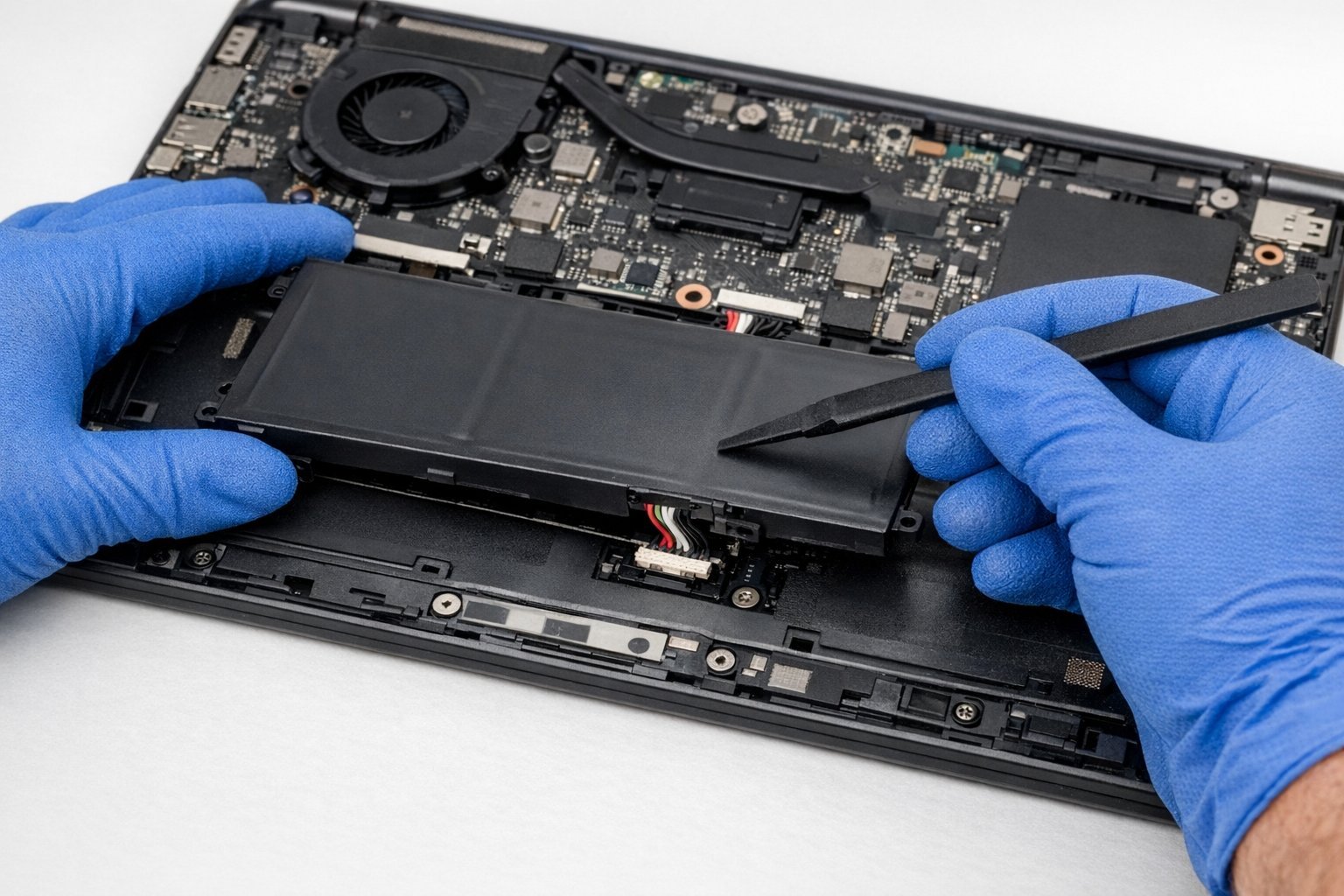
Your laptop used to last all day. Now it dies at 40% and shuts off if you look at it wrong. So how much does it cost to replace a laptop battery — and is it even worth doing?
So, how much does it cost to replace a laptop battery? Between my own experience and what I've gathered from folks who do this every day, here's the full picture.
What You Actually Need to Know
A DIY replacement battery costs $30–$80 for most Windows laptops, while professional replacement runs $80–$180 including labor. MacBook battery replacements through Apple cost $129–$199 depending on the model. It's worth doing if the laptop is otherwise fine and under 5 years old; on a 7+ year-old machine, put the money toward a replacement instead.
That's the gist, but the details matter here — they decide whether you overpay, waste time, or get it right the first time.
If that piqued your interest, you’ll like How do I stop my phone battery from draining so fast too.
For the official word, check Apple's official Mac battery service pricing, which lays out the details straight from the source.
How Much Does It Cost to Replace a Laptop Battery? Real Numbers
- DIY is cheapest: third-party batteries for Dell, HP, and Lenovo models run $30–$60 on reputable parts sites.
- Apple charges a flat $129 for MacBook Air and $199 for MacBook Pro battery service — no haggling, but guaranteed genuine parts.
- Pay attention here: Independent repair shops typically charge $80–$150 all-in for Windows laptops, and it's usually a same-day job.
- Worth knowing: Check if your battery is removable first — older laptops pop out in seconds; modern ultrabooks are glued in and much harder.
- Some laptops have the battery covered under extended warranty or recall programs — check the manufacturer's site before paying.
A Quick Real-World Example
I replaced the battery in my 2020 ThinkPad last spring: $42 for an OEM-grade battery, 10 minutes with a screwdriver, and it went from 90 minutes to 6 hours of runtime. Easiest upgrade I've ever done.
Making the New Battery Last
Here’s something the spec sheets won’t tell you: real-world performance and advertised performance are different animals. Battery life is measured in lab conditions, WiFi speeds assume you’re hugging the router, and “water resistant” comes with fine print that would make a lawyer blush. I take every manufacturer claim and mentally shave off 20–30%. If the product still looks good after that haircut, it’s probably genuinely good.
User reviews are your best friend here — but read them like a detective, not a tourist. Ignore the five-star raves and the one-star rants; the truth lives in the three-star reviews where people explain exactly what bugged them after a month of real use. Sort by “most recent” too, because firmware updates can fix or break things, and a review from two years ago might describe a product that barely exists anymore.
Let’s talk about the DIY-versus-pro question, because it comes up constantly. The internet makes everything look easy — a ten-minute video, a $20 kit, and you’re supposedly set. Sometimes that’s genuinely true. But the videos never show you the three hours of troubleshooting, the stripped screw, or the part that arrives broken. My rule of thumb: if a failed DIY attempt would cost you more than the pro would have charged in the first place, just hire the pro. Your time has value, and so does your sanity.
That said, there’s real satisfaction in fixing something yourself, and plenty of tech tasks are genuinely beginner-friendly once you know which ones. The trick is matching the job to your actual skill level, not the skill level of the YouTuber who does it for a living. Start small, read the comments (that’s where the real warnings live), and have a plan B before you open anything up.
If that piqued your interest, you’ll like How much does it cost to replace a phone screen at a repair shop too.
Smart Moves to Make
- Do this before anything else: buy from sellers with strong reviews — ultra-cheap no-name batteries can swell or die in months.
- It's not glamorous, but it works: calibrate the new battery: charge to 100%, drain to ~10%, then charge fully once.
- It's not glamorous, but it works: avoid leaving the laptop plugged in at 100% for weeks; most modern laptops have a battery-saver mode that caps charging at 80%.
- A small thing that makes a big difference — keep the laptop cool — heat is the number-one killer of battery lifespan.
Mistakes Worth Avoiding
- Here's a painful one: buying the cheapest battery on a random marketplace with zero reviews. Learn from other people's mistakes on this.
- Here's a painful one: replacing the battery when the real problem is a failing charger or charging port. Learn from other people's mistakes on this.
- Watch out for this: tossing the old battery in the trash — lithium batteries need proper recycling. It's the kind of thing that seems fine until it isn't.
Before You Go: Quick FAQs
Can I do this myself, or should I get help?
It depends on your comfort level and what's at stake. Low-risk tasks with good tutorials are great DIY candidates. But if messing up would cost you the device, your data, or your warranty, that's the moment to call in someone experienced. There's no shame in it — pros exist for a reason, and their mistakes are their problem, not yours.
Is the cheapest option ever the right call?
Sometimes, but rarely for things you depend on daily. The cheapest option usually cuts something — quality, support, longevity, or all three. The sweet spot is almost always the mid-range: proven, reasonably priced, with real support behind it. Buy cheap twice and you've spent more than buying right once.
How long does this usually take?
Honestly, it varies more than most guides admit. A straightforward case might take under an hour, while anything involving shipping, appointments, or waiting on parts can stretch to several days. My advice: ask for a realistic timeline up front, then add a buffer. If someone promises it'll be instant, get the details — 'instant' usually means 'the easy part is instant.'
Here’s My Honest Take
If your laptop still does everything you need, a $50 battery is one of the best value upgrades in tech. Just buy a quality part and recycle the old one properly.
At the end of the day, this is one of those things where a little homework pays off fast.
Related reading: Can a tablet replace a laptop for college students.
One more useful resource: the EPA's guide to recycling electronics — worth bookmarking before you make any final decisions.


