
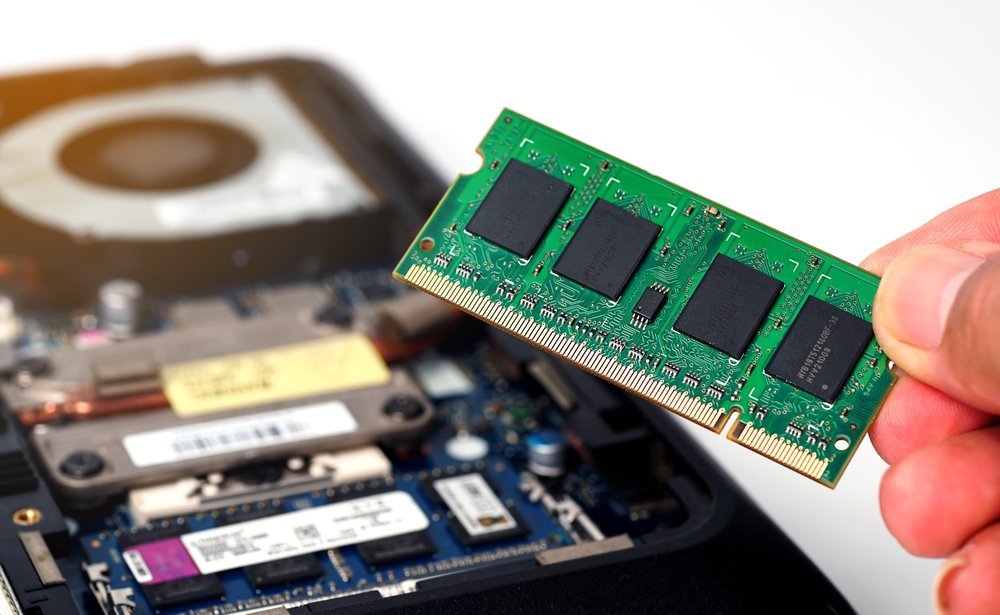
The 8GB model is $700, the 16GB is $850. So is it worth paying extra for more RAM in a laptop — or is it just an upsell?
So, is it worth paying extra for more RAM in a laptop? Between my own experience and what I've gathered from folks who do this every day, here's the full picture.
The No-Fluff Answer
For most people in 2026, 16GB is the sweet spot and worth the extra $100–$150 over 8GB. 8GB is workable for light use (browsing, documents, streaming) but struggles with multitasking. 16GB handles heavy multitasking, creative work, and programming comfortably. 32GB+ only makes sense for video editing, 3D work, data science, or running virtual machines. Crucially: on many modern laptops RAM is soldered and can't be upgraded later — so buy for your future needs, not just today's.
Simple enough on the surface. But once you look closer, there are a few things that can trip you up if you're not careful.
Worth a read next: How do I mirror my laptop screen to a smart TV.
For the official word, check Microsoft's Windows 11 system requirements, which lays out the details straight from the source.
Is It Worth Paying Extra for More RAM in a Laptop? The Honest Math
- 8GB: fine for basic use, but Chrome with 15 tabs plus Zoom will push it to the limit.
- 16GB: the 2026 sweet spot — comfortable multitasking, light creative work, and programming.
- Pay attention here: 32GB: for video editors, engineers, and data folks; overkill for everyone else.
- Soldered RAM can't be upgraded — check before buying, because this decision is permanent on many laptops.
- If RAM is upgradeable (many Dell, Lenovo, HP models), buy 8GB now and add more later for half the price.
Here’s How It Plays Out
I bought an 8GB ultrabook to save $120. Within a year, my workflow (browser, Slack, VS Code, Spotify) had it constantly swapping to disk — everything felt sluggish. The 'savings' cost me a year of frustration. My next laptop: 16GB, no debate.
RAM vs. Other Upgrades: Where Money Matters Most
A quick word on security, because this is where people get burned quietly. Most tech headaches I hear about — hacked accounts, lost photos, weird charges — trace back to boring basics: reused passwords, skipped updates, no backup. It’s not exciting advice, but a password manager and two-factor authentication will protect you more than any antivirus subscription ever will. Set them up once and they just work in the background.
Backups deserve their own mention. Not “I’ll get around to it” backups — automatic ones. The 3-2-1 rule is the gold standard for a reason: three copies of anything important, on two different types of storage, with one copy offsite. Cloud plus an external drive covers most people. The day your phone takes a swim or your laptop dies, you’ll either be relieved or devastated, and the difference is entirely decided beforehand.
Here’s something the spec sheets won’t tell you: real-world performance and advertised performance are different animals. Battery life is measured in lab conditions, WiFi speeds assume you’re hugging the router, and “water resistant” comes with fine print that would make a lawyer blush. I take every manufacturer claim and mentally shave off 20–30%. If the product still looks good after that haircut, it’s probably genuinely good.
User reviews are your best friend here — but read them like a detective, not a tourist. Ignore the five-star raves and the one-star rants; the truth lives in the three-star reviews where people explain exactly what bugged them after a month of real use. Sort by “most recent” too, because firmware updates can fix or break things, and a review from two years ago might describe a product that barely exists anymore.
Worth a read next: Can a tablet replace a laptop for college students.
Small Things That Make a Big Difference
- It's not glamorous, but it works: check if the RAM is soldered or slotted before deciding — it changes the entire calculation.
- If you remember one tip from this list, make it this: an SSD upgrade improves perceived speed more than extra RAM for most slow laptops.
- A small thing that makes a big difference — look at your current memory pressure (Activity Monitor / Task Manager) to see what you actually use.
- This one's easy to overlook: for college, 16GB future-proofs you through four years of increasingly heavy software.
Where People Usually Go Wrong
- Here's a painful one: paying the manufacturer's $200 RAM upgrade when a $60 DIY stick would do (on upgradeable models). Learn from other people's mistakes on this.
- Here's a painful one: buying 32GB 'to be safe' for a laptop that'll browse the web and run Word. Learn from other people's mistakes on this.
- Here's a painful one: ignoring RAM entirely and wondering why the new laptop feels slow with 30 tabs open. Learn from other people's mistakes on this.
Quick Questions, Straight Answers
What's the biggest mistake beginners make?
Rushing. People either buy the first option they see or dive into a fix without reading the instructions twice. Slow down, compare at least three options, and read the fine print — especially around warranties, return windows, and what's actually included. Ten extra minutes of patience routinely saves hundreds of dollars.
How long does this usually take?
Honestly, it varies more than most guides admit. A straightforward case might take under an hour, while anything involving shipping, appointments, or waiting on parts can stretch to several days. My advice: ask for a realistic timeline up front, then add a buffer. If someone promises it'll be instant, get the details — 'instant' usually means 'the easy part is instant.'
Is the cheapest option ever the right call?
Sometimes, but rarely for things you depend on daily. The cheapest option usually cuts something — quality, support, longevity, or all three. The sweet spot is almost always the mid-range: proven, reasonably priced, with real support behind it. Buy cheap twice and you've spent more than buying right once.
Here’s My Honest Take
16GB is worth it for most buyers in 2026 — it's the difference between a laptop that ages gracefully and one that frustrates you by year two. Just don't pay for 32GB you won't use.
At the end of the day, this is one of those things where a little homework pays off fast.
If that piqued your interest, you’ll like Is it worth buying a refurbished laptop for college too.
One more useful resource: the FTC's computer buying guide — worth bookmarking before you make any final decisions.


