
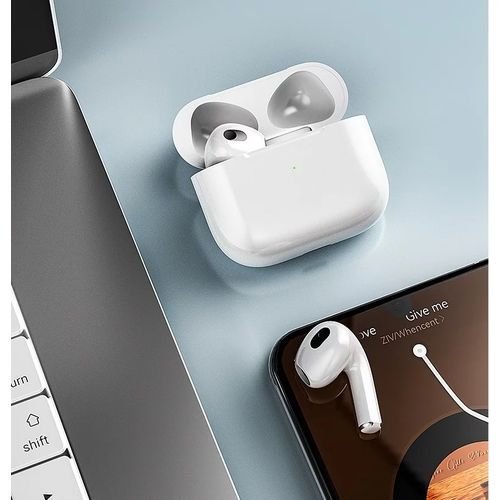
You're watching a movie on your laptop, a call comes in on your phone, and your earbuds just… sit there. So how do I pair wireless earbuds with multiple devices without the constant disconnect-reconnect dance?
So, how do I pair wireless earbuds with multiple devices? After looking at the options, the prices, and what people actually experience, here's my straightforward take.
The Honest Answer
Look for earbuds with multipoint connectivity — it lets them stay connected to two devices at once and switch automatically (Sony WF-1000XM5, AirPods Pro 2, Jabra Elite series, and many $50+ models now include it). Enable it in the earbuds' companion app, pair the first device normally, then pair the second while the first stays connected. When a call comes in on either device, the earbuds switch automatically and switch back when you hang up.
That's the short version. Now let's get into the parts that actually affect your wallet and your day.
Related reading: What is the best way to charge multiple devices at once while traveling.
For the official word, check Sony's official earbuds support page, which lays out the details straight from the source.
How Do I Pair Wireless Earbuds With Multiple Devices? Multipoint Guide
- Multipoint = two simultaneous connections; the earbuds intelligently switch audio between them.
- Enable it in the companion app first (Sony Sound Connect, Jabra Sound+, etc.) — it's often off by default.
- Pairing order matters: connect device one, then put earbuds back in pairing mode for device two without disconnecting the first.
- AirPods switch automatically between Apple devices signed into the same iCloud account — no multipoint toggle needed.
- The part nobody mentions: Budget earbuds ($25–$40) usually lack multipoint; it's the feature most worth paying a little extra for.
A Quick Real-World Example
I take work calls on my laptop and listen to music on my phone. Before multipoint, I repaired my earbuds maybe six times a day. After switching to a multipoint pair, the earbuds just follow me between devices. It's the single biggest quality-of-life upgrade in my tech setup.
When Multipoint Misbehaves
Here’s something the spec sheets won’t tell you: real-world performance and advertised performance are different animals. Battery life is measured in lab conditions, WiFi speeds assume you’re hugging the router, and “water resistant” comes with fine print that would make a lawyer blush. I take every manufacturer claim and mentally shave off 20–30%. If the product still looks good after that haircut, it’s probably genuinely good.
User reviews are your best friend here — but read them like a detective, not a tourist. Ignore the five-star raves and the one-star rants; the truth lives in the three-star reviews where people explain exactly what bugged them after a month of real use. Sort by “most recent” too, because firmware updates can fix or break things, and a review from two years ago might describe a product that barely exists anymore.
A quick word on security, because this is where people get burned quietly. Most tech headaches I hear about — hacked accounts, lost photos, weird charges — trace back to boring basics: reused passwords, skipped updates, no backup. It’s not exciting advice, but a password manager and two-factor authentication will protect you more than any antivirus subscription ever will. Set them up once and they just work in the background.
Backups deserve their own mention. Not “I’ll get around to it” backups — automatic ones. The 3-2-1 rule is the gold standard for a reason: three copies of anything important, on two different types of storage, with one copy offsite. Cloud plus an external drive covers most people. The day your phone takes a swim or your laptop dies, you’ll either be relieved or devastated, and the difference is entirely decided beforehand.
You might also want to check out What internet speed do I need for streaming 4K video.
Advice That Saves You Headaches
- This one's easy to overlook: if switching is unreliable, update the earbuds' firmware — multipoint bugs get patched often.
- Do this before anything else: keep the companion app's 'prioritize stable connection' setting on if you get dropouts.
- Veterans of this stuff all say the same thing: for three or more devices, you'll still need to manually switch — multipoint handles two at a time.
- It's not glamorous, but it works: turn off multipoint if you only ever use one device; it can slightly reduce connection stability.
Common Pitfalls to Dodge
- The classic blunder: assuming all Bluetooth earbuds support multiple connections — most cheap ones don't. I've seen this one cost people time and money more times than I can count.
- Here's one I see constantly: pairing the second device after forgetting the first instead of adding to it. Don't let it happen to you.
- A lot of folks blaming the earbuds when the real issue is an outdated Bluetooth driver on the laptop. — and honestly, it's an easy trap to fall into.
A Few More Questions Answered
What's the biggest mistake beginners make?
Rushing. People either buy the first option they see or dive into a fix without reading the instructions twice. Slow down, compare at least three options, and read the fine print — especially around warranties, return windows, and what's actually included. Ten extra minutes of patience routinely saves hundreds of dollars.
How do I know I'm getting a fair price?
Get three quotes. It's the oldest advice in the book because it works. You'll quickly see the going rate, and outliers in either direction tell you something — suspiciously cheap often means corners cut, while the priciest option isn't automatically the best. Ask what each quote includes so you're comparing apples to apples.
Can I do this myself, or should I get help?
It depends on your comfort level and what's at stake. Low-risk tasks with good tutorials are great DIY candidates. But if messing up would cost you the device, your data, or your warranty, that's the moment to call in someone experienced. There's no shame in it — pros exist for a reason, and their mistakes are their problem, not yours.
What I’d Do
Multipoint is the feature that makes wireless earbuds feel truly wireless. Check for it before you buy, enable it in the app, and never manually re-pair again.
At the end of the day, this is one of those things where a little homework pays off fast.
You might also want to check out How can I improve my home WiFi signal in every room.
One more useful resource: Jabra's multipoint setup guide — worth bookmarking before you make any final decisions.


